
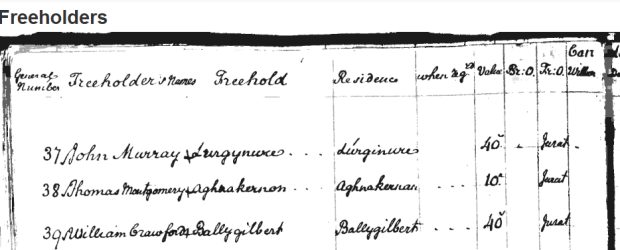
Welcome to the Freeholders' Records Application. This searchable database lets you explore freeholders’ registers and poll books for the names and details of those entitled to vote in Northern Ireland before 1840. Use the thousands of digitised pages available to uncover family connections and support your wider research.
Search the Freeholders’ Records
For information on using the application, see the search guidance below.
If you would like further context for these records, you can view our companion guide or our information leaflet on Freeholders' Records.
Search guidance
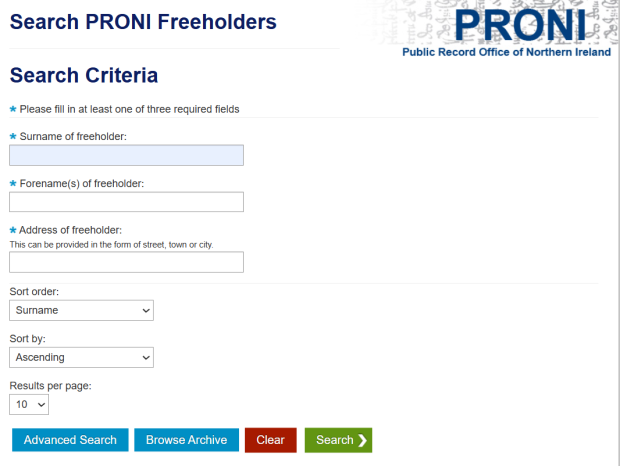
To carry out a search, input the search criteria in the right field(s) and press the 'find' button.
The freeholders' records can be searched by any of the criteria listed below, however surname is the recommended method:
- surname
- forename
- address
- occupation of Freeholder
- name or address of landlord
- county
- parish
- date of registry
- candidates
You can sort your results alphabetically by surname, forename or address and by ascending/descending order.
To refine results to more manageable numbers, we recommend entering more than one search criteria if the information is available. To do this without retyping the criteria, select the 'Modify Search' button at the bottom of the results page.
Wildcard searches
A wildcard feature has been built into the application for the following criteria fields:
- surname
- forename
- address
This feature may help you find a name or address when you are unsure of the spelling. You can enter the part of a name or place you know the spelling of, for example ‘Bally’ which will show results for Ballymena, Ballymoney, and Ballycross.
Viewing results
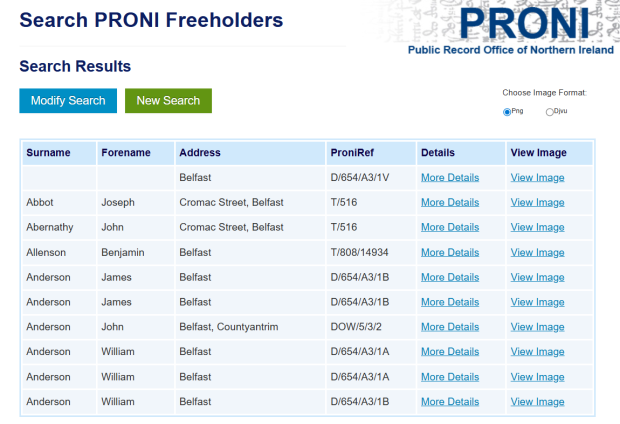
The results page will default to displaying the full name and address of the freeholder. You can view any other available information about the freeholder by selecting the ‘More Details’ button.
You will also see a column which lists the PRONI reference for the original record that lists the freeholder selected.
Viewing digitised images
To view the digitised record relating to a result, select ‘View Image’. The images can be viewed as either:
- 'PNG'- web optimised image that opens a new tab on your browser
- 'DjVu' - an image of the original scanned document.
To view DjVu images, you will need a DjVu extension. You can download this by clicking on the DjVu download button found on the results pages. You can also save and print both the PNG and DjVu images.