

Welcome to the PRONI eCatalogue. This fully searchable database contains over one million catalogue entries for records in our archives.
You can go straight to the eCatalogue using the button below, or read on for hints and tips.
For more detailed guidance on the various ways to search the eCatalogue, as well as a more in depth overview of the browse function, you can view our Companion Guide to the PRONI eCatalogue.
Search function
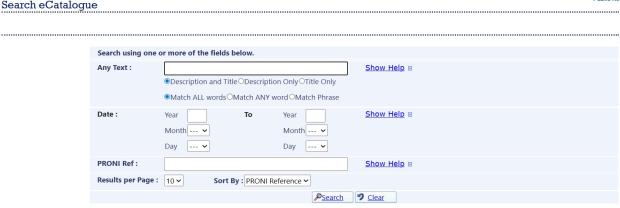
You can explore the database using the search facility which allows you search by
- text
- date
- PRONI Reference
You can search using more than one field, which can help to reduce search results and prevent an error that occurs when a search yields more than 5000 results.
Search results
The search results overview will show a number of fields including
- PRONI reference
- Date(s)
- Title/description
- View option (only populated for digitally available records)
The results are sorted by PRONI Reference Number by default but can be changed to ascending date. You can also change the number of results per page from 10 up to a maximum of 50 results per page.
The Title/description field will usually prompt you to select ‘more’, which will take you to detailed results page which will show you additional information, including the full description.
Browse function
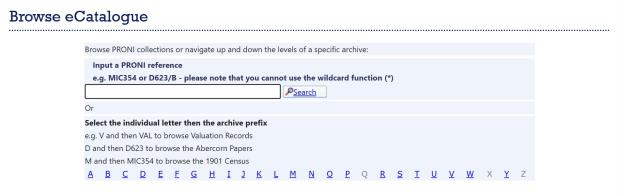
If preferred, you can use the browse function to navigate through the contents of entire archives.
PRONI reference numbers are grouped together in alphabetical order. To look for a particular archive, you can enter the archive reference (if known) or you can navigate through the A-Z buttons below.
If a PRONI reference is blue and underlined, this indicates there are further levels of the catalogue below. When you open an underlined PRONI reference, the catalogue tree for this archive is displayed above the browse results.
If a reference number is grey and not underlined, this is the lowest part of the tree currently available.
Viewing digital records on the eCatalogue
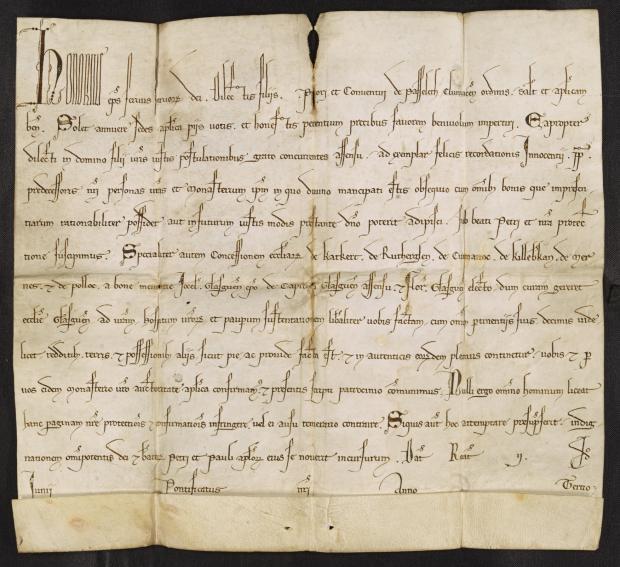
To access most of our records, you will need to visit us in person though some records have been made digitally available. If you are unable to visit in person, PRONI offers remote search and copying services which may be of use to you.
As part of our mission to promote access to our collections for the widest possible audiences, over 10,000 PRONI records have been made digitally available through our eCatalogue.
If an item is available to view on the eCatalogue, you will be able to select the ‘View’ option under the ‘Digital Record’ column. You will be asked to agree to the copyright declaration before the pdf scan of the document will open.
If you wish you can consult our spreadsheet containing a full list of digitally available records through the eCatalogue.