
Welcome to the PRONI Street Directories Application. You can use this database to search and view digitised images of Street Directories covering the years 1819 to 1900. This can be a valuable resource for identifying family members or researching your local area.Search the Street Directories Application
For further information on how to use the application, see the search and results guidance below. For more information about Street Directories and this application, you can view our companion guide and downloadable information leaflet.
Search guidance
Enter a word or phrase as your search term in the keyword field. This could be a name, street name, profession and so on.
Before submitting the search you can choose to refine results by selecting matches for:
- All words
- Any word
- Exact phrase
Entries in Street Directories can vary in spelling and be subject to misprints, so it is advisable to try a range of searches. You should also consider where words may have been abbreviated, for example ‘Thos’ for Thomas or ‘St.’ for Saint.
Filter by directory
You can narrow your search by selecting a specific directory from the dropdown menu on the search area. Alternatively, you can carry out a keyword search first and then refine your results by selecting one or more directories on the results page.
Filter by date range
If you are looking for a directory from a specific year or range of years, you can refine the search by selecting a date range. If you do not specify this field, the search will extend back to the earliest directory for the start date and the most recent directory for the end date.
Search results
The results of keyword searches in the database are displayed with four columns:
- Directory name
- Year
- Section (of the directory)
- Pages
When viewing the search results, you can choose to further refine them by directory, section and locale on the left-hand side.
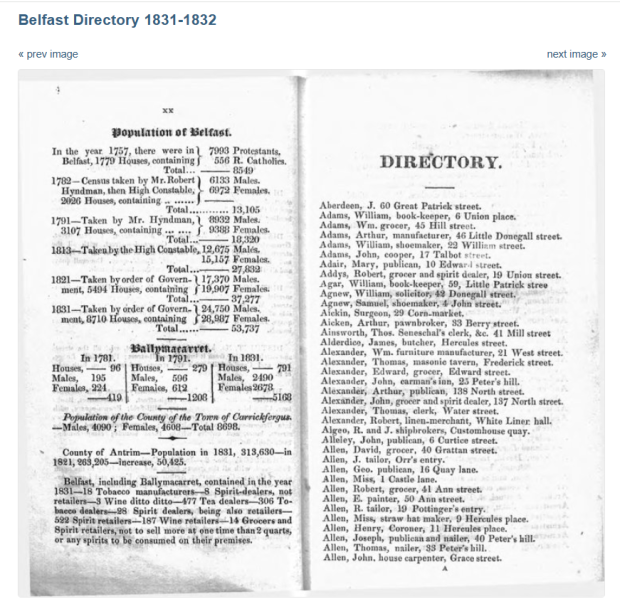
The directory name will be highlighted, you can select this to view the digitised copy of the relevant directory page(s). Any keywords from the search term will be highlighted in different colours on the digitised page.
You also have the option to print or download any relevant directory pages.
Searching without keywords
If you choose not to enter a keyword, all search results will be presented in date and page order on the results page. You can use this to browse through the pages of a directory or selection of directories in the proper order.
Using tablets and mobile devices
This application has been optimised for use on PCs. Some functionality may be limited when using tablets and mobile devices, particularly the roll-over magnification in the document viewer. On touch-screen devices, tapping alternate corner of the document images allows magnification and movement of the magnified image.